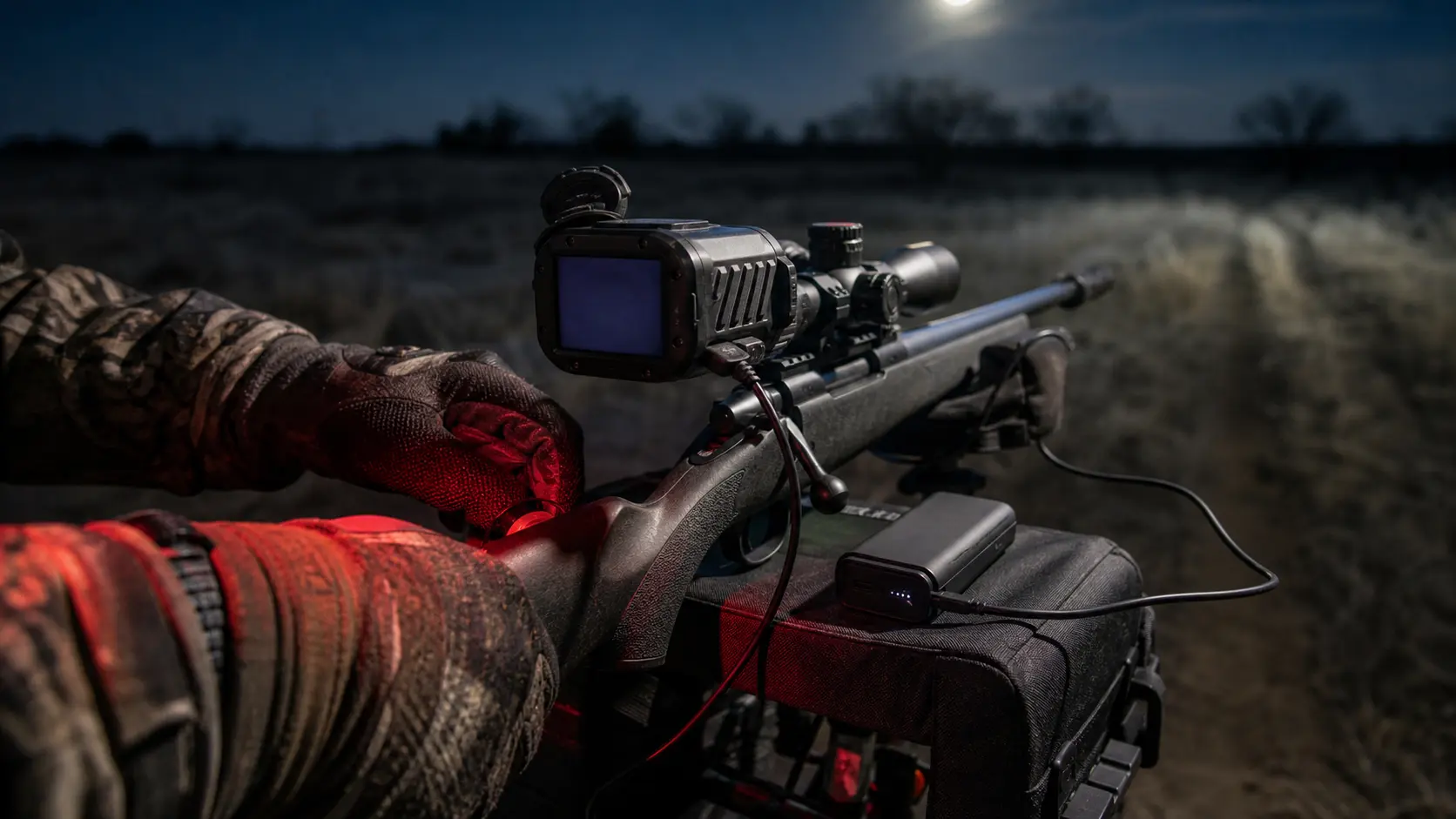
Thermal Scope Standby Mode Explained: Sleep Mode, Startup Time, Battery Life, and Shot Readiness
Quick Answer: Should You Use Standby Mode on a Thermal Scope?
Yes, thermal scope Standby Mode is useful when the scope is idle for long periods, and you want to conserve battery without performing a complete restart. However, it’s not a place I would want to leave my eyes closed. This is dependent on the specific optic, battery configuration, firmware, weather, app connectivity, setup of the recording, and speed at which scope wakes to a usable image.
The golden piece of advice is: test the same scope you are going to use in the field. Time the entire wake up process for startup and standby. After waking up, confirm the reticle, zero profile, focus, NUC behavior, recording status and app connection. Don’t depend on standby if you’ve never used it under hunting conditions.
If you’re looking for a longer runtime plan, check out USA Night Vision’s thermal scope battery life guide. This article will focus on the distinction between fully on, standby or sleep mode, and full power off.
What Standby Mode Means on a Thermal Scope
Sounds like a simple concept, but the term can be used differently with thermal scopes. Different brands may mean different things by the word standby. One might refer to it as "sleep." Behavior can also change with firmware updates. The name is not the important thing after you press the control, it’s what your optic does.
Standby Mode vs Sleep Mode vs Full Power Off
In field language:
- Standby mode normally indicates that the scope has been switched to a lower power mode, but is designed to start up quicker than a cold start.
- Thermal scope sleep mode may involve dimming or stopping some of the display and processing, while still maintaining part of the system.
- Full power off: The optic is powered off and requires booting to be used.
These are general definitions and not rules of engineering. On certain models, standby may only extinguish the display. In others, it can be more like deep sleep. Power off can also cause wireless, recording, GPS, ballistic or app processes to be interrupted.
If you’re comparing thermal scope standby vs power off, think of which is better prepared to keep you on this stand, not just which saves more battery.
What Usually Stays Active in Standby
Parts active during stand-by depend upon the model. These may or may not be kept ready in a thermal scope:
- Display and sensor / core processing
- reticle and zero profile
- Wi-Fi, Bluetooth or phone app connection
- video recording or recoil-activated recording
- GPS, metadata, ballistic or LRF workflow
These features do not automatically continue to operate when the scope is not completely powered down. Test the entire night hunting thermal scope process after waking up, if it requires an app, recording, LRF or ballistic profile.
Startup Time and Wake-Up Time: Why Seconds Matter at Night
It’s easy to forget about the thermal scope start-up time in the home. A few seconds can make a difference in the field. A full startup could involve loading a logo screen, performing sensor initialization, loading a reticle/profile, reconnecting to Wi-Fi, and even performing calibration. Standby wake times are typically intended to be faster, but they depend on the brand, generation, firmware, battery level, and temperature of the device.
Cold Start vs Wake From Standby
Cold start is the complete booting up from power off. It is sensible between the stands, while transporting or changing batteries. The same is not true of wake from standby. Ideally, the scope is already close to ready: the display comes back, the image is there and the reticle is usable without having to go through a full boot cycle.
The thing is, awake and ready to shoot aren’t necessarily the same. A scope may display an image before the hunter identifies the target, confirms profile, focus, reticle, range, and/or recording status.
How Slow Wake-Up Can Cost a Shot Opportunity
When it comes to hogs, slow wake-up can mean losses if a group crosses a sendero or if they wander off a feeder. Coyotes can come hard to a call, swing downwind and be gone while waiting for a screen. I also don’t stand down when a follow-up shot is a possibility as the optic should already be 100% ready after recoil anyway.
Battery Life Benefits of Standby Mode
The most important aspect of thermal scope standby mode for hunters is battery life. Display, sensor, processor, controls, wireless capabilities, and even recording or rangefinding are powered by the thermal optics. If you can remove a portion of that load, you may be able to extend the life of a thermal scope.
When Standby Saves the Most Power
Standby is appropriate for extended feeder sits, pre-call periods when coyotes are quiet, ranch watches when the bulk of the hunting is done with a handheld thermal, and for winter hunts when every battery counts and for periods of standstill between any short periods of looking.
A typical procedure is to use a handheld thermal to scan while powering up the rifle-mounted optic while it is in standby. It can be a good system if the wake-up time is fast and predictable.
When Standby Saves Less Than Expected
If wireless, recording, GPS, app connectivity, or other smart functions are on, standby might not save as much battery as anticipated. It also may not be as effective if the scope is powered by an external battery system that is already designed to extend battery life or is woken every few minutes.
When it comes to thermal scope battery saving tips, it’s best to go back to basics: start a thermal scope with a full charge, carry an extra battery, turn off unnecessary brightness, avoid unnecessary WiFi use, and test an external battery pack you plan to use on the thermal scope using the same sleep/wake routine you’re going to be using in the field.
Image Readiness After Standby
A thermal image is not improved in standby mode. It does not enhance sensor resolution, NETD, lens size, focus, refresh rate, display resolution or detection range. What standby can do is to impact readiness: the image can be viewed prior to the confirmation of focus, palette, brightness, contrast, NUC behavior, and target scene.
Does Standby Affect Image Quality?
Standby is not an improvement in quality of image. If the optic was not in focus before entering standby it will not wake sharp. When weather is thermally flat and humid, stand-by will not allow for contrast.
For image settings post-wake-up, refer to USA Night Vision’s article on thermal image settings. The thermal scope display resolution guide details display quality.
NUC, Calibration, and the First Image After Wake
Thermal scope NUC after standby is one of the big things to test. Fixed pattern noise and non-uniformity behavior of thermal images can be cleaned with NUC, or non-uniformity correction. Depending on the scope and settings, the image may freeze, click or recalibrate briefly upon waking. USA Night Vision has a dedicated thermal scope NUC guide that provides more detail regarding Auto vs Manual calibration.
Standby Mode in Cold Weather
The power plan is changed when it’s cold. It can shorten the practical battery life, make the buttons feel stiffer, expose weak cables and make external packs less convenient.
Cold Batteries and Runtime Planning
Cold batteries are frequently not as long-lived as hunters would like them to be. This can occur in both internal batteries and removable batteries, and in external packs. When possible, have the spare batteries warm and use a full charge and do not design the entire plan based on a warm room run time number.
Cold Optics, Condensation, and Field Care
Also, during the transition from truck to cabin, to case and to outside air, there are condensation risks in cold weather. Even when in standby, an optic is still subject to the bad habits of the owner, wet ports, and condensation in a case. If you are planning to use a thermal scope in wet or cold conditions, check out the USA Night Vision guide to thermal scope waterproof ratings and cold weather field care.
Standby Mode for Hog Hunting
When hunting for hogs, thermal scope is a combination of waiting and sudden movement. That means in some setups, standby can be useful and in others it can be risky.
Feeder and Known-Distance Setups
Standby is effective at a feeder or a known distance lane. There might be time to wake the scope, confirm the image and then to make a controlled decision. However, don’t wait until pigs are under the feeder to teach the wake routine.
Sounders, Follow-Up Shots, and Moving Groups
If a sounder is already in the field, I prefer the rifle optic all ready to go. You may need a second shot quickly or you may be still working on target angle and backstop so leave the scope fully on.
Standby Mode for Coyote and Predator Hunting
The pressure of waking up quickly is greater when hunting coyotes with thermal. Predators can appear quickly, stop briefly, and leave quicker than a hog at a feeder.
Calling Stands and Fast Arrivals
I want the scope to be awake during active calling windows, generally. The coyote might walk to the call, look up, move downwind, or go across a small gap while the hunter is still preparing his/her optic. Sleep mode hunting is better with thermal scope for quiet time periods before or after calls.
Open Fields and Unknown Distances
Open fields – introduce distance judgment. If you use a laser rangefinder or ballistic calculator, or have a specific reticle hold or zero profile make sure of this after waking up. The USA Night Vision thermal scope LRF vs no LRF guide and thermal scope field of view guide are useful companions.
Standby Mode, Wi-Fi, Apps, and Recording
Standby is more complicated with smart features. The features of Wi-Fi, phone apps, recoil-activated video, recording, GPS and firmware behavior are variable, depending on the model.
What Happens to Video Recording and Recoil-Activated Video?
Thermal scope recording standby behavior is model-dependent. With some scopes, the standby function can cease recording. On some of them, the device may have to reconnect or restart another recording mode. Video behavior that is activated by recoil is not consistent either.
If you are using footage, check it. Put scope in STANDBY, wake scope, perform a safe controlled test, and then verify clip and recording remained on.
Check out USA Night Vision’s guide to thermal scope video recording, Wi-Fi, apps, and RAV for more detail.
App Reconnection and Firmware Differences
Thermal scope app behavior may vary upon a complete power-off, sleep, or firmware update. Standby behavior can be different because of permissions a phone must have, a need to reconnect the app, and firmware changes.
Never update the firmware just before a big hunt and hope everything is OK. If you’re updating, run the entire flow after the update, including power on, standby, wake, app connect, record, NUC, confirmation of profile, and shutdown.
Field Test Checklist Before You Hunt
This is where it’s the difference between a neat feature and a surprise. Perform this test at home, then repeat the critical portion of the test under comparable weather conditions if they can.
Time the Wake-Up
Time the boot up with a phone timer and record the following times: Full boot time, time to usable image, standby wake time, time to confirmed reticle/profile and app or recording readiness (if applicable).
Repeat the test. Don’t rely on just one wake-up to tell you if it’s a best case.
Check Reticle, Zero Profile, Focus, NUC, and Recording
On wake-up, check the rifle profile or zero profile, reticle and brightness level, focus and diopter, palette, image setting, NUC behaviour, recording status, Wi-Fi / app connection and external battery behaviour (if used).
When the scope has been removed or bumped, or new scope has been mounted, don’t let standby get in the way of basics. There is still a need for mounting and zero confidence. USA Night Vision’s how to mount a thermal scope guide is about that foundation.
Test in Similar Weather
Although a warm living room test is helpful, it doesn’t tell the entire story. Test the conditions as closely as practicable, if hunting in cold, rain, fog, humidity or gloves.
When to Leave the Thermal Scope Fully On
If the animals are already in the field, coyotes may show up in a flash, a follow-up shot is probable, the scope is new to you, getting up is slow, or you are verifying target identification, backstop and safety to shoot. Also, for app, recording, LRF, or ballistic workflow, leave it on if the reliability after standby is not guaranteed.
Planning can help manage battery. Saving power in a missed ID moment is not the solution.
When to Use Full Power Off Instead of Standby
When the optic does not need to be constantly on standby, there is a reason to switch off the power. When transporting the rifle between stands, when packing the rifle away, during wet conditions when the ports are left open or when applying an external power source, and when changing batteries or charging the optic.
When you’re finished with a stand, it is often the cleaner option to turn it all the way off. Standby is about controlled waiting periods where waking up sooner is still important.
Bottom Line
Standby mode for thermal scope is a convenient field tool, not one that can be used in every setting. It can help conserve battery during extended waits, particularly if you’re scanning with a handheld thermal and keeping the rifle optic ready enough for a planned shot. It can also cause issues when waking up is slow, when NUC interrupts the first image, when recording ceases, when the app fails to reconnect, or when the hunter falsely assumes the scope is ready and checks it.
There is no single right way to do things, depending on your scope, firmware, battery, weather, and hunt style, and how well you know the controls. For feeder sits, standby might be a good battery-saving solution. Use the optic fully on for quick predator shots, moving to a sounder, follow-up shots and safety critical identification. Try it out for yourself and then choose the appropriate time to make standby a part of your personal hunting schedule.
Can You Use a Thermal Scope During the Day? Daylight Use/Sun Safety and Zeroing Tips.
Night Vision Range Explained: Detection, Recognition, Identification, and Real Hunting Distance
How to Set Up an IR Illuminator for Night Vision: Placement, Beam Width, and Field Mistakes