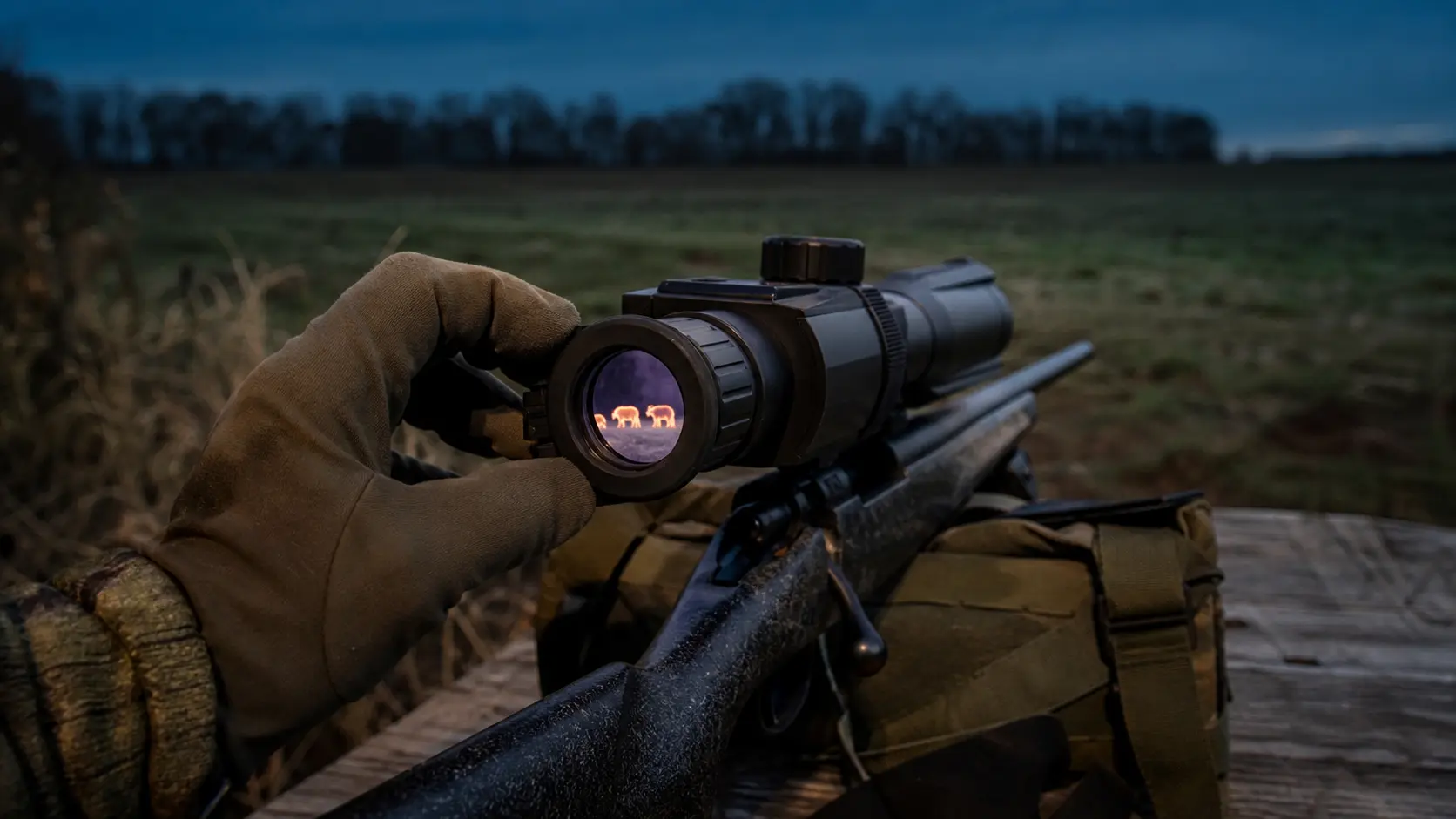
Thermal Scope Display Resolution Explained: OLED Screens, Sensor Resolution, and Image Quality for Hunting
One of these specifications that seem easy to understand on a product page, but creates lots of confusion when hunters start comparing scopes is the thermal scope display resolution. You can expect to find a 384 sensor combined with a 1024×768 OLED screen, or a 640 scope with a 1440×1080 screen or a budget scope with an LCD screen of lower resolution. It’s obvious the question on everyone’s mind is whether this better screen really helps you see more or is it just a shiny spec.
It’s depends on the image chain you are referring to. The data on heat is collected by a thermal sensor. The processor cleans up that data. The image is displayed to your eye on the eyepiece. A thermal image can appear cleaner, smoother and be more comfortable to view, but a better display may not produce any real thermal detail that the sensor didn’t capture to begin with.
That’s a difference of which hunters are aware. It makes a difference in how you determine whether that very clean screen offers you any real identification confidence or merely a “shiny” version of limited information; that is, whether that screen is showing you a real clear picture of a very clean pig or a very clean representation of very limited information.
Quick Answer: Does Thermal Scope Display Resolution Matter?
Yes, thermal scope display resolution is important, but it doesn’t take the place of sensor resolution.
The higher the resolution, the cleaner the processed image will appear, softness will be reduced, menus and reticles will be more readable and the comfort of using it during long night hunts will be greater. It can also help to reduce the appearance of jittery digital zoom as the screen will have more pixels to display the zoomed image.
However, the sensor is not the display. If only part of the animal is recorded in the thermal core, the display will not be able to add details of the legs, ears, body shape or background detail that was not recorded. The basic rule is quite simple – sensor resolution captures thermal detail; display resolution shows the processed image.
When in the process of comparing specs, begin with thermal scope sensor size first, and then use the display spec as a part of the entire purchasing process.
What Is Display Resolution on a Thermal Scope?
The display resolution refers to the number of pixels on the small screen within the thermal scope eyepiece display. It’s the screen you’re viewing after all the sensor, processor, color palette, reticle, menu system and image enhancement has been applied.
A normal daytime scope looks through glass at the actual subject. A thermal scope features a screen. Depending on the model, that screen can be an OLED, Micro-OLED, AMOLED or LCD screen. Thermal scope screen resolution provides information about the number of screen pixels available to display the thermal image and information on the screen.
Common Display Specs: 800×600, 1024×768, 1280×960, 1440×1080
Common thermal scope display specs include 800×600, 1024×768, 1280×960, and 1440×1080. Similar variations are possible by the manufacturer and by the generation of the product.
Many midrange hunting scopes have a thermal scope display of 1024×768. The higher screen specification 1440×1080 thermal scope display can help the image, reticle, menus, and recorded-looking image look more polished. Does not necessarily indicate that the scope can see animals from greater distances. This indicates a higher resolution of the screen to present the data processed by the scope.
OLED, Micro-OLED, AMOLED, and LCD: What Hunters Actually Notice
A thermal scope OLED display typically provides a higher contrast, deeper blacks, faster response, and clearer images than older and lower-cost LCD displays. The small size and density of a Micro-OLED display makes it particularly suitable for an eyepiece, giving the image a crisp appearance. A thermal scope AMOLED screen also can offer robust distinction and impression.
What hunters are really seeing is not the display technology, alone. They observe the clarity of the image, the sharpness of reticle, how much the screen blooms at night, whether their eye gets tired, and whether the scope is easy to use after several hours behind the rifle.
Sensor Resolution vs Display Resolution: The Spec Sheet Confusion
The most common error is confusing the resolution of the sensor with the resolution of the display. They have similarities but they are not identical.
Sensor/Core Resolution Captures the Thermal Data
The resolution of the sensor (also known as core resolution) indicates the number of thermal pixels the detector has to capture the heat information. Very different amounts of real thermal data are collected with a 384×288 sensor, a 640×512 sensor, and a 1280-class sensor.
This is why the 384 vs 640 thermal scope comparison for hunting is crucial. A 640 sensor provides more data to the processor, particularly in the situations of small target, far away target, partly hidden target and moving target against warm background.
Display Resolution Shows the Processed Image to Your Eye
The resolution of the display is downstream of the sensor. The heat is detected by the sensor. That data is then converted to an image by the processor. Those are the images you are seeing on the display.
Imagine that you are viewing a trail camera photo on a nice monitor. The monitor might make the photo easier to see, but it doesn’t make a low detail image a high detail image. The same holds true for thermal sensor resolution vs display resolution.
Why a High-Resolution Display Cannot Fix a Weak Sensor
The image can be made to look smoother with a high resolution screen, but not more honest. While the scope might be good-looking through the eye piece with a good display, if it’s equipped with a 256 or lower 384 sensor, it still has limited thermal information due to the sensor, lens, NETD, focus and processing.
That’s why you should be wary of large numbers on a poor optical system. Good thing is a clean screen is helpful. Real target detail is more helpful.
How Display Resolution Affects Image Quality in the Field
The entire image chain results in the images quality of a thermal scope. Display resolution influences the end product, particularly if you are working on an animal, digital zooming or a long night behind the scope.
Perceived Sharpness and Edge Definition
The display will help you to think you’re looking at a sharper image. The edges can appear neater. Tree lines, fence posts, animal silhouettes and terrain breaks can be less blocky. This can be useful if you are attempting to remove a hog from brush, or tracking a coyote across rough terrain.
The word that’s important here is perceived. The display may make existing detail more visible, but the sensor/lens determines the actual amount of thermal detail that is available.
Digital Zoom and Pixelation
Digital zoom is one area where buyers tend to look for the best of the display. The zoomed image may appear less harsh on the eyes by using a higher resolution display, but the zoomed image will still have a limit because the sensor pixels are still being enlarged. To learn more, read this guide to thermal scope digital zoom: 2x 4x 8x.
The quality of the images obtained with thermal scope digital zoom is more dependent on the sensor resolution than on the display resolution. The difference between 640 and 384 is that you will have more usable room at 2x with the 640 sensor. A good monitor will make it easier to view that zoomed image, but you won’t be able to recover any lost sensor information.
Reticle, Menu, and Rangefinder Readability
The non-animal components of the image are impacted by the display resolution as well. A higher resolution screen may improve the clarity of the reticles, menu text, zeroing screens, icons, battery indicators, and rangefinder readouts. That’s significant in the real world. When you’re making adjustments in the dark, checking a range, or making sure your profile is correct, having a crisp screen is better to live with.
Eye Fatigue on Long Night Hunts
The comfort of the eyes is underestimated. If the screen is clean, OLED or Micro-OLED, has a good resolution and has sensible brightness control, it can also help minimize fatigue for long sits, repeated scanning, or many stands in one night. If the sensor is fine, but the display isn’t bright, high resolution or high contrast, the scope will feel more fatiguing.
Display Resolution by Sensor Class: 256, 384, 640, and 1280
The display must match the sensor class and price class. The more data a good sensor can collect, the more a good display can show.
| Sensor Class | Consumer reality | What relevance does display resolution have? |
|---|---|---|
| 256 | Entry level, close range use, limited detail | Don’t pay too much for screen specs alone |
| 384 | Very useful for many people that hunt hogs and predators | Helpful, but not a replacement for 640 |
| 640 | Premium mainstream hunting class | Better OLED displays start to pay off |
| 1280 | High-end detail and broad image data | More premium display is important |
256 Sensors: Do Not Overpay for the Screen Alone
The main constraint are the sensors data with a 256 sensor. While a nice display might make the view cleaner, it’s a scope that is best described as a close range, budget thermal. Don’t purchase a 256 class scope based on screen specification alone.
384 Sensors: Display Quality Can Help, But It Is Not a 640 Upgrade
A good 384 thermal scope can work very well for hunting the hog over feeders, brush setups, moderate fields and first time thermal users. This 384 image can be made more pleasant and easier to interpret with a better display. Does not make it a 640.
This is where the term 384 vs 640 thermal scope display can mislead the purchasers. Two scopes could have the same display, but the class of sensor would be different.
640 Sensors: Where a Better OLED Display Starts to Shine
There’s more real thermal information to present with a 640 sensor. This is where a 1024×768 thermal scope display or better OLED screen makes more sense. The sensor’s information is sufficiently fine grained, so the cleaner the display, the more pleasure you’ll receive in the image – particularly at base magnification and moderate digital magnification.
1280 Sensors: Premium Sensor Data Needs a Display That Can Show It
There is a lot of information on the sensor data of a 1280-class thermal scope. If that sensor would be used in conjunction with a substandard display, some of that viewing benefit would be lost. This time, a high-quality display is not “marketing.” It enables the scope to display the valuable sensor information in a format useful to the eye.
OLED vs LCD Thermal Scope Displays
OLEDs and LCDs should remain down to earth in thermal scope comparisons. The display that provides you a clear, controllable and comfortable image in your hunting environment is the better display.
Where OLED Helps
OLED aids in contrast, black levels, screen response, and a clear picture on the eyepiece. This can help make palettes that are white-hot or black-hot appear more defined. It can also help to improve the quality of menus and reticles. When everything else on the scope is solid, for many hunters there’s a big advantage to having OLED or Micro-OLED.
Where LCD Can Still Work
Even budget or utility focused scopes can still be used for LCD. Don’t assume that the LCD display is a no-go; if the sensor, lens, focus, mount and battery system are what you’re looking for then it may be a great choice. Not as nice, but it may serve as a close range hog hunting or known distance.
Brightness Settings Matter More Than Max Brightness
While maximum brightness is good on a spec sheet, night hunters demand control. Excessive luminous intensities can cause a loss of night vision, a hard look, and eye fatigue. A decent thermal scope will allow you to adjust the screen to dim light for dark situations and still maintain the ability to read the reticule and target.
Display Resolution and Other Specs That Matter More
While display resolution is important, there are typically other specs that are more important for finding results.
Sensor Resolution and Pixel Pitch
The raw image is determined by the resolution of the sensor and the pixel pitch. The higher the sensor class, the more detail it provides, and the pixel pitch influences the sensor in conjunction with the lens size, magnification and field of view.
NETD and Low-Contrast Weather
thermal scope NETD is an important factor in warm weather, humid weather, foggy weather, rainy weather, and low contrast weather. Smaller NETDs can assist in detecting smaller temperature differences. If conditions are bad, thermal sensitivity could be more important than screen sharpness.
Lens Size and Base Magnification
thermal scope lens size and base magnification determine the size of the image on the terrain. For open fields and longer shots a 50mm lens might be better. In brush, feeders and mixed terrain, a 25mm or 35mm lens might be better.
Focus System and Diopter Setup
A scope that appears to be blurry might not actually have a problem with the display. It can be objective focus, diopter setting or user setting. That is why it is important to understand fixed focus vs manual focus thermal scopes before pointing out that the screen does not work.
Refresh Rate and Motion Smoothness
Thermal scope refresh rate has impact on the smoothness of the motion. Even a really good looking display isn’t much use if moving animals smear, lag or are difficult to track.
But image processing and thermal image settings is also a factor. Clearness of the scope in the field may vary depending on contrast, sharpness, palette, brightness and NUC behavior.
Buying Advice: How Much Should You Care About Display Resolution?
If you’re interested in the display’s resolution, just don’t forget that it has to be in the proper order.
Prioritize the Sensor First
Begin with the class of sensor that is appropriate for your hunt. When hunting coyotes in open country, or when using digital zoom frequently, or require improved recognition and identification at long range, the sensor is of greater importance than the display. If the majority of your shooting is in a close ‘hog’ position, then a solid 384 might suffice.
Match Display Quality to the Price Class
A high quality 640 or 1280 thermal should also feature a good OLED, Micro-OLED or AMOLED display. For a budget 384, a screen doesn’t have to be as high quality as a top-of-the-line screen, but it should still be clear, adjustable, and comfortable.
Be Skeptical of Big Screen Numbers on Weak Optics
A magic fix is not to be expected from a 1440×1080 display on a weak sensor and a poor lens system. It might be clean in store, but can have problems with true target identification in the humidity, brush and distance.
Compare the Whole Image Chain, Not One Spec
Look for sensor resolution, lens size, base magnification, NETD, focus type, refresh rate, display type, display resolution, image settings, battery system, mount quality, warranty and real hunting use. Display specs are not the entire chain of image.
Field Checklist Before Judging a Thermal Scope Display
Before making the judgment on the goodness or badness of a thermal scope display, verify the setup and conditions:
- Set the eyepiece diopter adjustment for the eye before making sharpness judgements.
- Make sure the screen is not brighter than it would be at night.
- Run NUC or verify auto NUC is functioning properly.
- If the objective lens is a manual one, focus the objective.
- Make a judgement on the image at base magnification prior to using Digital Zoom.
- Test scope in warm and humid low contrast conditions, and in cool and high contrast conditions.
- Compare animals, terrain, brush, fence lines and background heat, not just a single hot object.
- Don’t assume that a clean-looking screen is ethical ID.
- Separate detection from recognition and identification: This guide to detection, recognition, and identification range goes into detail as to why this is important.
Final Takeaway
Resolution in the thermal scope display is all important after the scope has done its job. If you have a good OLED/Micro-OLED/AMOLED screen, you will find the image clearer, reduce eye fatigue, make the reticle and menu easier to read, and make it easier to look at digital zoom. It can enhance the way the image is displayed to your eye.
Can’t take the place of sensor resolution, lens, NETD, focus, base magnification, refresh rate, or image processing. The more appropriate question to ask when considering a scope for hunting is NOT just what is the screen resolution? The better question is: Does the entire scope provide me enough real image detail to detect, recognize, identify, and shoot with confidence given my real field conditions?
FAQ
Does the resolution of a thermal scope display correspond to the sensor resolution?
No. Sensor resolution is used for capturing thermal data. The display resolution is what you will see on your screen. The image may appear cleaner with a high resolution screen, but cannot add any real thermal detail the sensor did not provide.
When it comes to thermal imaging scope screens, which is superior: OLED or LCD?
Usually, yes. OLED and Micro-OLED displays can offer a higher contrast and more dramatic black levels, a faster response time, and a clearer eyepiece image. LCD can also be used on budget scopes, but OLED just seems more polished in use.
Will a higher resolution display increase the range of detection?
Not by itself. Detection range is more a matter of the sensor, lens, thermal sensitivity, target size, weather, and processing. While a better display could help to make the detected image easier to see, this does not by itself provide more detection range.
In the context of thermal scope, is 1024×768 display resolution good?
Yes, 1024×768 is a good resolution for most thermal scopes today, particularly the 384 and 640 models. The sensor, lens, NETD, focus, base magnification and processing will be the determining factors whether the scope is good still or not.
Display resolution does it help with digital zoom?
It does help in the display of the zoomed image, but the resolution of the sensor is more important. While digital zoom can appear less coarse with a higher resolution display, it can’t compensate for the loss of detail that occurs when the limited number of pixels in the sensor are expanded.
Which is better, a 384 thermal scope and a high resolution screen or a 640 thermal scope and a basic screen?
In most cases, when hunting with a scope of similar quality, the 640 sensor will easily outperform the other in terms of image detail, digital zoom and identification confidence at distance. However, if the 640 scope is not up to scratch, has poor optics or is not very comfortable or suited to your terrain or base magnification, then a well matched 384 could still be the better purchase.
Even though I have a good OLED screen, why is my thermal scope image blurry?
The issue may be related to diopter setting, objective focus, humidity, warm background conditions, image settings, dirty lens, digital zoom or a sensor/lens limitation. A good OLED screen will only display the processed image, and not correct the setup and optical problems.
Is there any correlation between the brightness of the display and the ability to hunt in the night?
Yes. Excessive brightness of displays can lead to eyestrain, discomfort and difficulty sustaining natural night awareness. Set brightness to lowest setting where you can see target, reticle, and menu info.
Can You Use a Thermal Scope During the Day? Daylight Use/Sun Safety and Zeroing Tips.
Night Vision Range Explained: Detection, Recognition, Identification, and Real Hunting Distance
How to Set Up an IR Illuminator for Night Vision: Placement, Beam Width, and Field Mistakes