Thermal Scope Refresh Rate Explained: 30Hz vs 50Hz vs 60Hz for Hunting
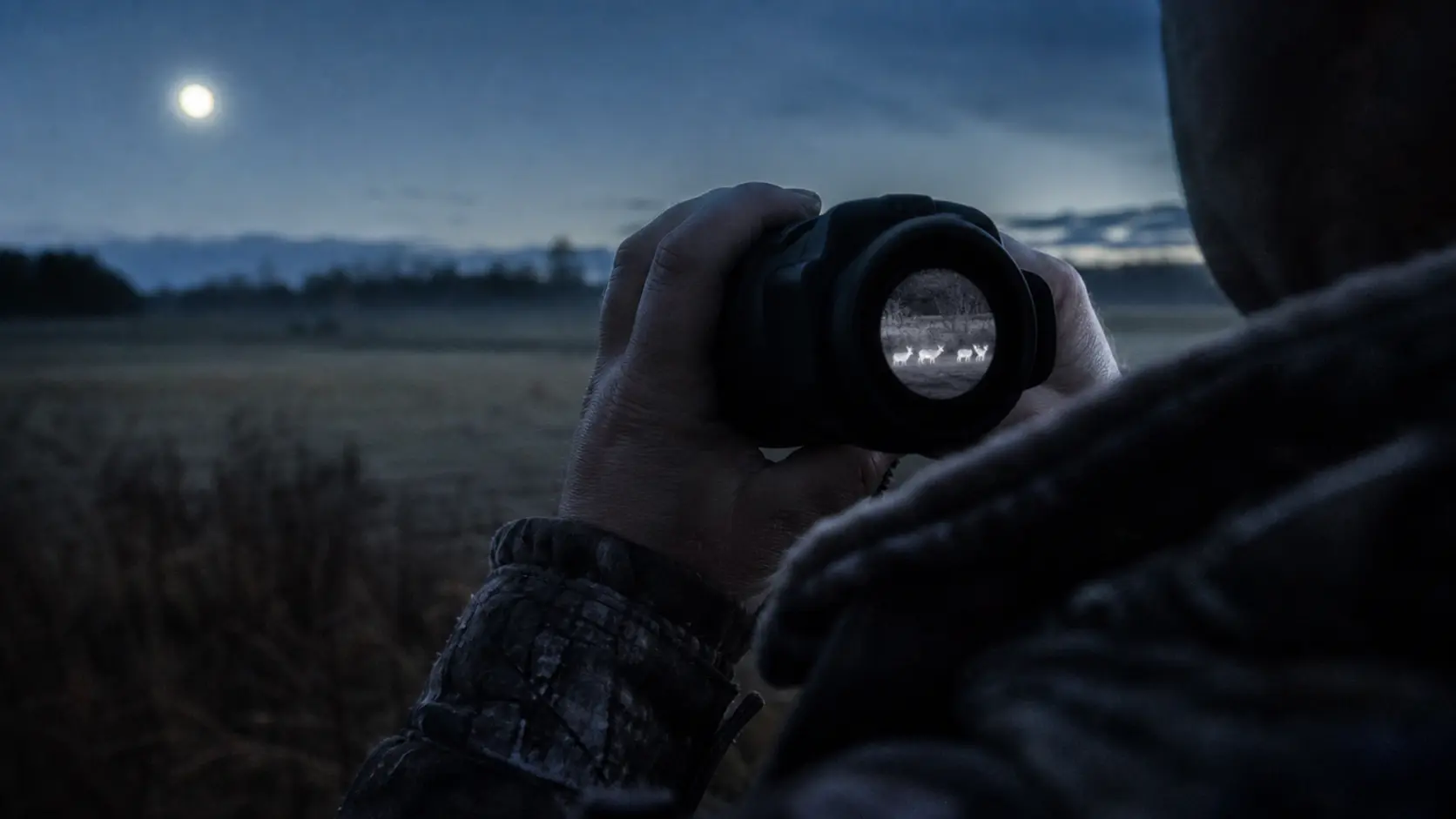
Refresh rate is one such specification that seems simple when you’re on a product page and gets misunderstood pretty quick, and that’s thermal scope refresh rate. A 30Hz scope will show the image about 30 times per second, a 50Hz scope about 50 times per second, and a 60Hz thermal scope about 60 times per second. A higher number typically translates to a smoother feel during panning, scanning or tracking moving animals.
However, refresh rate is not a substitute for sensor resolution, NETD, size of the lens, focus and quality of the display or target identification discipline. It also can’t make a scope see farther on its own.
Quick Answer: Is 30Hz, 50Hz, or 60Hz Better for Hunting?
Most hunters find 50Hz is the sweet spot. Its smoothness is sufficient for active scanning and moving hogs and coyotes without paying for refresh rate.
Is 30Hz sufficient to use thermal scope? Yes, in the right conditions. A good 30Hz thermal scope can suffice for feeder hogs, fixed stands, slow tripod scanning, short-to-medium distances, and budget-first setups. It’s not as forgiving if an animal is moving quickly, or if you pan aggressively.
Fast tracking, handheld scanning and video can be made to feel great at 60Hz. However, even a cheap 60Hz scope is just a cheap scope. I would choose to hunt with a sharp 50Hz unit with good sensor, lens and NETD performance over a less expensive 60Hz unit with poor image quality.
What Does Refresh Rate Mean on a Thermal Scope?
Thermal scope refresh rate is the number of times per second that the thermal image refreshes. It can also be referred to as thermal imaging refresh rate or thermal scope frame rate. In layman’s terms, it impacts the smoothness of the movement.
Panning may be choppy or jerky using a low refresh rate. The higher the refresh rate, the smoother the movement will appear. This is important if a coyote steps out onto a sendero, a hog emerges from a sounder or you peer between two lines of trees.
Refresh rate is not the same as the level of image detail. If you’re still trying to determine the size of the sensor, read the USA Night Vision guide to 256 vs 384 vs 640 vs 1280 thermal scope sensors.
Sensor Refresh Rate vs Display Refresh Rate
Part of the confusing part about thermal scope Hz explained content is that manufacturers don’t necessarily define terms in the same manner. Published Hz number might be sensor refresh rate, frame rate, display behavior or something else related to the imaging pipeline. Firmware, image processing, display response, recording features, and calibration behavior can all have an impact on the final image.
Refresh Rate vs Latency
While refresh rate and latency are related, they are not the same. Refresh rate indicates the frequency at which the image is reproduced. Latency is the time between an event in front of the lens and your eye viewing a display.
Total thermal scope lag may be caused by processing, display response, Wi-Fi streaming, recording or firmware, although a higher refresh rate will typically make the image feel more responsive. Optics that are advertised as the same Hz can actually feel different.
30Hz Thermal Scopes: When They’re Still Usable
30Hz does not necessarily indicate trouble. When the hunting is slower and predictable it can make sense:
- Stationary hogs over feeders
- Known trails and bait sites
- Slow scanning from a tripod
- Short-to-medium distance shots
- Budget-first setups
- Backup optics and/or loaner rifles
- Static watch points for ranches
The secret in 30Hz thermal scope hunting is to know the job. If you can sit over feeders and scan slowly taking deliberate shots, a good 30Hz image can suffice.
Where 30Hz Starts to Feel Weak
30Hz becomes sluggish with fast movements in the scene when panning, running hogs, fast coyotes, targets in close range that move across the FOV and searching from a moving UTV or truck. The picture may appear “choppy” and it could be more difficult to maintain the animal, reticle, and background.
But that doesn’t mean every shot is out of the question. It reduces the forgivingness of the optic.
50Hz Thermal Scopes: The Practical Hunting Sweet Spot
The practical benchmark is 50Hz for most serious hunters. In a 30Hz vs 50Hz thermal scope comparison, the difference is felt when the view is panned across brush lines, when tracking animals in open areas or during a transition from scan to aim.
A 50Hz thermal scope will provide your eye with a clearer motion picture and help minimize the “choppy” feel that can hinder fast animal tracking.
Why 50Hz Helps With Moving Hogs and Coyotes
If for hog hunting, thermal scope refresh rate is important, 50Hz is advantageous when the hogs move through crops, across senderos or if they scatter after a first shot. The 50Hz thermal scope refresh rate for coyote hunting is important because coyotes are more unpredictable, smaller and faster.
If you are using it for coyote hunting, check out USA Night Vision’s guide to the best thermal scopes for coyote hunting.
Why 50Hz Doesn’t Equal Better Identification
Smooth motion is not identification detail! A 50Hz scope can also be used to track an animal, but isn’t necessarily an indicator as to whether the heat signature belongs to a coyote, fox, calf, dog, deer, or hog.
Identification still depends on sensor resolution, lens size, pixel pitch, NETD, focus, base magnification, weather, distance, and target angle. When it comes to image quality and digital zoom, check out USA Night Vision’s review on 384 vs 640 thermal scope for hunting.
60Hz Thermal Scopes: Worth It or Mostly Nice to Have?
A 60Hz thermal scope can feel great. It is good for rapid movement, handheld scanning, video, and hunters who quickly notice choppy image motion.
The more pertinent question is whether 60Hz is worth a lot more than a robust 50Hz unit. The 50Hz vs 60Hz thermal scope distinction is a reality for many hunters, but one that’s not necessarily make-or-break. The 60Hz optic could be worth it if the sensor performance, lens quality, display, controls and battery design are also superior. Be cautious if it’s only an Hz upgrade.
Don’t purchase a mediocre 60Hz scope when a better 50Hz scope is available!
30Hz vs 50Hz vs 60Hz: Field Comparison Table
| Refresh Rate | Best Use | Weaknesses | Good For | Be Careful If |
|---|---|---|---|---|
| 25Hz / low refresh | Static observation, very slow scanning | Choppier panning, weaker feel on moving animals | Basic detection, fixed property watch points | You track coyotes, running hogs, or scan from vehicles |
| 30Hz | Feeder hogs, known trails, slower tripod scanning | Less tolerant of fast movement | Budget scopes, backup optics, short-to-medium range hunting | You expect frequent moving shots |
| 50Hz | Primary hunting scopes, active scanning | Still dependent on sensor, lens, NETD and processing | Most serious hunters, mixed terrain, moving animals | You assume it can improve range on its own |
| 60Hz | Fast tracking, handheld scanning, video | May be more expensive without better core image quality | Predator hunters, heavy scanners, motion-sensitive users | The rest of the optic is less powerful than a competing 50Hz version |
Does Refresh Rate Affect Detection Range?
Refresh rate is not an increase in detection range. A higher Hz scope doesn’t magically peer into the field farther into the heat.
Objective lens size, sensor resolution, pixel pitch, NETD, target size, background contrast, weather and detection criteria are more important factors for detection range. Refresh rate is the most important parameter in terms of smoothness and usability of the image while scanning or tracking movement.
This is important because detection, recognition and identification are three separate roles. “A heat signature” does not necessarily indicate that a legal and ethical target has been established. USA Night Vision has provided information on that difference in its guide to detection vs recognition vs identification range.
Why a Smooth Image Can Still Help You Find Animals Faster
A smoother image can aid in consistent scanning and comfortable movement. That may make it easier to find animals in real use, but it is not an extended range, but a usability benefit.
Refresh Rate vs Resolution: Which Spec Matters More?
The term thermal scope specs explained properly means one should consider the entire system. Even a smooth low-resolution image might not give identification detail. A high-resolution, low-Hz image may show more shape at distance but may be a bit choppy when moving animals are captured.
As a general guideline:
- Select better resolution when identification details and digital zoom are important.
- Select a higher refresh rate where the movement of animals and active scanning are most important.
- Select the overall better scope if one scope has a better combination of sensor, lens, NETD, focus, controls and battery.
Refresh Rate vs NETD, Lens Size, and Base Magnification
The NETD, lens size, and base magnification are sometimes as significant as the refresh rate.
NETD and Humidity
NETD is a measure of thermal sensitivity. The lower the NETD, the more the scope can distinguish between small temperature differences, particularly in humid conditions or low contrast. Refresh rate won’t cure washed-out contrast.
Focus, NUC behavior, brightness, contrast, and palette settings also matter. This is complemented by the ‘thermal image settings explained’ guide from USA Night Vision here.
Lens Size and Field of View
The size of the lens and the base magnification alter the appearance of the scene. Higher base magnification can make the animal look larger, but typically to the detriment of field of view. A narrower field of view means targets move over the screen quicker and panning is more challenging.
That’s where refresh rate and magnification intersect. This compromise is detailed in USA Night Vision’s thermal scope base magnification guide.
Does Higher Refresh Rate Drain Battery Faster?
While higher refresh rates and more intensive image processing can draw more power, there is no direct one-to-one correlation between Hz and battery life. The runtime is dependent on the battery size, the brightness of the display, processor load, Wi-Fi, recording, temperature, firmware, and external-power support.
Check rated run times, whether it can take external power, and have spare power for long hunts. This is covered in more detail in the USA Night Vision thermal scope battery life guide.
Best Refresh Rate by Hunting Scenario
Hog Hunting
30Hz may be effective for hogs over feeders or on known trails. 50Hz is better for moving sounders, open fields, follow-up tracking and hogs breaking through cover. Check out USA Night Vision’s list of the best thermal scopes for hog hunting in 2026 for a buying context specific to the hunting of hogs.
Coyote and Predator Hunting
For coyotes, target 50Hz as long as you can afford it. Coyotes are smaller than hogs, fast moving, and don’t often provide long confirmation windows. If the rest of the optic is strong, continuous scanning by serious predator hunters can be assisted by the 60Hz.
Ranch Security and Property Scanning
If observing a static ranch, 30Hz may be adequate. 50Hz is more comfortable for vehicle based scanning or for moving livestock and wildlife.
Thermal Monoculars and Handheld Scanners
Thermal monocular refresh rate is a factor when using a hand-held scanner as it is panned constantly. For active walking or ranch jobs, consider 50Hz more important. To find budget alternatives, check the specifications in USA Night Vision’s guide to thermal monoculars under $1,000.
Buying Advice: What Refresh Rate Should You Choose?
For thermal scope refresh rate hunting decisions, the first step is determining how quickly you are moving and how active the animals are. The best refresh rate for thermal scope use depends on the terrain, the target, and the budget, and should not compromise the rest of the optical system.
Select 30Hz if you’re on a budget, and the majority of your hunting is slow, close and predictable. If the optic will be the main hunting optic, select 50Hz. If smooth motion, video, fast tracking or handheld scanning is important to you and the rest of the scope is up to scratch then 60Hz should be the choice.
Always check local regulations before hunting with thermals. Regulations are different in each state, species, land type, season, and with respect to management of nuisance animals or hunting regulated game animals. Private land rules may be different from federal land rules.
Common Mistakes Buyers Make With Thermal Refresh Rate
Assuming Higher Hz Means Longer Range
Higher Hz does not necessarily mean longer range. It translates to more frames per second. While it might make scanning and tracking easier, it is not a substitute for lens size, sensor performance or identification practice.
Ignoring the Whole Optical System
A poor optical system cannot be made up for with a high refresh rate. Resolution, pixel pitch, NETD, objective lens, display, focus, image processing, mount stability, zero retention, controls and battery all make a difference.
Comparing Spec Sheets Without Knowing the Use Case
Spec sheets only make sense coupled with terrain and target behavior. A 30Hz scope over a feeder may be acceptable. You may get frustrated if you select a 30Hz scope in open country with a fast coyote. If you’re dealing with mostly stationary hogs, a 60Hz scope might be smoother than is necessary.
Final Recommendation
The refresh rate of a thermal scope is what makes 50Hz the benchmark for most serious hunters. It provides a more pleasing picture for scanning and moving animals while not detracting from the specs which are the basis for detection, recognition and identification.
30Hz is not intrinsically an issue. It can be a savvy budget option for slower, closer and more predictable hunting. 60Hz may be good for fast tracking, handheld scanning and smooth video but it depends on the rest of the scope.
A higher Hz shouldn’t take the focus away from sensor resolution, NETD, lens size, base magnification, focus, battery life, and legal and ethical target identification.
Can You Use a Thermal Scope During the Day? Daylight Use/Sun Safety and Zeroing Tips.
Night Vision Range Explained: Detection, Recognition, Identification, and Real Hunting Distance
How to Set Up an IR Illuminator for Night Vision: Placement, Beam Width, and Field Mistakes